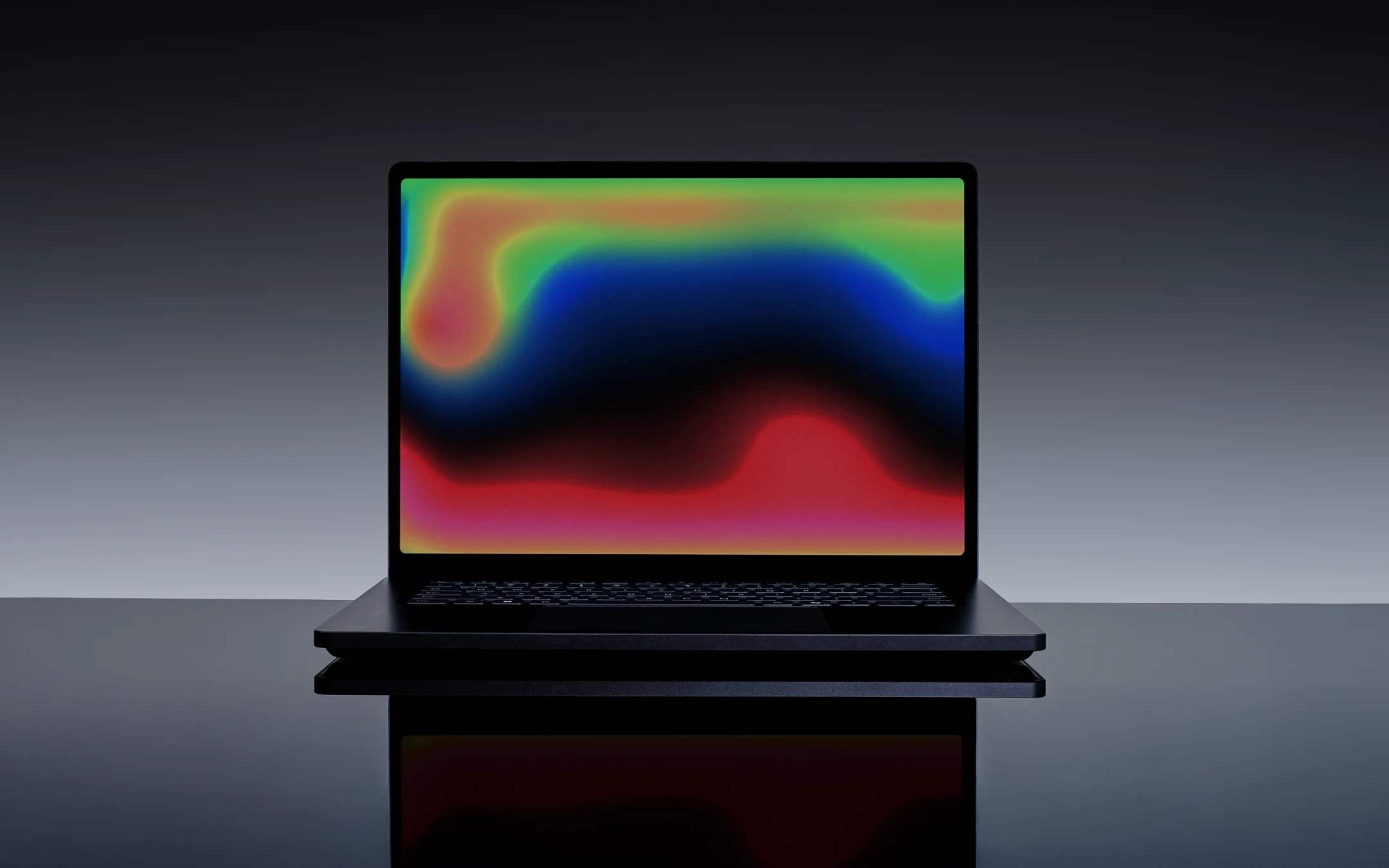
A New Era of AI-Powered Performance
Artificial intelligence is transforming how professionals create, code, design, and analyze data. Modern laptops are no longer evaluated solely by CPU speed or graphics performance—they are increasingly judged by their ability to accelerate AI workloads, handle demanding creative applications, and provide exceptional portability.
The Microsoft Surface Laptop Ultra is Microsoft’s most ambitious Surface device to date. Positioned as a premium workstation-class laptop, it is engineered for creators, developers, AI researchers, engineers, and professionals who need desktop-level performance in a portable form factor.
Unlike previous Surface devices that focused primarily on productivity, the Surface Laptop Ultra introduces an all-new NVIDIA-powered system-on-chip with unified memory, advanced AI acceleration, and a redesigned thermal architecture. Microsoft describes it as its most powerful Surface laptop ever, capable of running large AI models locally while supporting professional creative workflows.
This comprehensive review examines the Microsoft Surface Laptop Ultra’s design, specifications, display, performance, AI capabilities, battery life, connectivity, security features, advantages, disadvantages, comparisons, and buying considerations.
What Is the Microsoft Surface Laptop Ultra?
The Microsoft Surface Laptop Ultra is a premium 15-inch Windows laptop built for users with demanding workflows. It combines Microsoft’s signature Surface design with a new NVIDIA RTX Spark system-on-chip that integrates CPU, GPU, and AI processing into a unified architecture. Microsoft positions it as a laptop for “world makers”—professionals working in AI development, software engineering, 3D design, video production, and advanced content creation.
Key highlights include:
- NVIDIA RTX Spark architecture
- Up to 128GB unified memory
- 15-inch mini-LED PixelSense Ultra touchscreen
- Windows 11 AI experiences
- Advanced thermal cooling
- Creator-focused connectivity
- Enterprise-grade security
- Serviceable SSD design
Microsoft Surface Laptop Ultra Specifications
| Feature | Details |
|---|---|
| Display | 15-inch PixelSense Ultra mini-LED touchscreen |
| Resolution | 2880 × 1920 (262 PPI) |
| Brightness | Up to 2,000 nits peak HDR |
| Processor | NVIDIA RTX Spark SoC |
| AI Performance | Up to 1 petaflop AI compute (Microsoft claim) |
| Graphics | Integrated Blackwell-class RTX GPU |
| Memory | Up to 128GB unified memory |
| Storage | User-replaceable SSD |
| Operating System | Windows 11 |
| Connectivity | Wi-Fi, Bluetooth, USB-C, USB-A, HDMI |
| Additional Ports | Full-size SD card reader, 3.5mm audio |
| Security | Windows Hello, hardware-rooted security |
| Weight | Under 2 kg |
| Thickness | Under 18 mm |
Specifications vary by configuration.
Premium Design and Build Quality
Microsoft continues the minimalist Surface design language while making the Ultra more capable for professional workloads. Despite its increased performance, it remains less than 18 mm thick and weighs under 2 kg, making it highly portable for a workstation-class laptop. It is available in Platinum and the new Nightfall finish.
Design highlights include:
- Premium aluminum chassis
- Slim and lightweight construction
- Large precision haptic touchpad
- Comfortable keyboard
- Creator-friendly port selection
- Durable hinge mechanism
PixelSense Ultra Display
The display is one of the laptop’s biggest strengths.
Microsoft equips the Surface Laptop Ultra with a 15-inch PixelSense Ultra mini-LED touchscreen featuring a 3:2 aspect ratio, 262 PPI, and up to 2,000 nits of peak HDR brightness, making it well suited for photo editing, HDR video, and color-critical workflows.
Benefits include:
- Exceptional color accuracy
- High HDR brightness
- Wide viewing angles
- Touchscreen functionality
- More vertical workspace
- Excellent readability indoors and outdoors
Performance Powered by NVIDIA RTX Spark
The defining feature of the Surface Laptop Ultra is its NVIDIA RTX Spark processor, which combines CPU, GPU, and AI capabilities into a unified architecture. Microsoft says the platform delivers up to one petaflop of AI compute and is designed for local AI agents, creative applications, and modern Windows experiences.
This architecture is intended to accelerate:
- AI-assisted software development
- Local language models
- Image generation
- Video rendering
- 3D modeling
- Scientific computing
- Data analysis
Unified memory also allows CPU and GPU to access the same memory pool, reducing bottlenecks for large datasets and complex projects.
AI Features
The Surface Laptop Ultra is built around on-device AI.
Potential AI-powered workflows include:
- AI-assisted coding
- Intelligent video upscaling
- Noise reduction
- Automatic image masking
- Real-time transcription
- Local AI inference
- Windows Copilot experiences
Running AI models locally can improve privacy, reduce latency, and decrease dependence on cloud services for compatible workloads.
Thermal Performance
High-performance laptops often struggle with sustained workloads, but Microsoft redesigned the cooling system for the Ultra.
According to Microsoft, the new thermal solution provides up to 2.5× the thermal capacity of the previous 15-inch Surface Laptop generation, helping maintain higher performance during demanding creative and AI tasks.
Battery Life
Microsoft states that the Surface Laptop Ultra is designed to deliver all-day battery life while maintaining performance even when unplugged. Actual endurance will vary depending on workload, especially during GPU-intensive rendering or AI processing.
Ideal workloads include:
- Office productivity
- Software development
- Creative editing
- AI experimentation
- Video conferencing
Connectivity and Ports
Unlike many premium laptops that rely heavily on adapters, the Surface Laptop Ultra includes a practical selection of ports:
- USB-C
- USB-A
- HDMI
- Full-size SD card reader
- 3.5 mm headphone jack
This setup benefits photographers, videographers, and professionals who frequently connect cameras, storage devices, and external displays.
Security and Serviceability
Microsoft has emphasized long-term usability with features such as:
- Windows Hello facial recognition
- Hardware-rooted security
- Enterprise-grade firmware protection
- Replaceable SSD
- Published repair guides and replacement parts
These features support both enterprise deployments and users who value repairability.
Microsoft Surface Laptop Ultra vs Apple MacBook Pro
| Feature | Microsoft Surface Laptop Ultra | Apple MacBook Pro |
|---|---|---|
| Operating System | Windows 11 | macOS |
| Display | 15-inch mini-LED touchscreen | Liquid Retina XDR |
| AI Hardware | NVIDIA RTX Spark | Apple Neural Engine |
| Memory | Up to 128GB unified | Up to high-capacity unified memory (model dependent) |
| Touchscreen | Yes | No |
| Ports | USB-C, USB-A, HDMI, SD, audio | Thunderbolt, HDMI, SD, MagSafe |
| Best For | AI, Windows development, creators | Apple ecosystem professionals |
Buying Considerations
Before purchasing the Microsoft Surface Laptop Ultra, consider the following:
| Consideration | Why It Matters |
|---|---|
| Workload | Best suited for AI development, 3D design, software engineering, and professional media production. |
| Budget | As a flagship workstation, it is expected to carry premium pricing. |
| AI Needs | The dedicated AI-focused architecture is most beneficial if you regularly use AI-enabled applications. |
| Portability | Despite workstation-class hardware, it remains thin and relatively lightweight. |
| Upgradeability | The replaceable SSD adds flexibility, but memory configurations should be chosen carefully at purchase. |
| Ecosystem | Ideal for users invested in Windows, Microsoft 365, and professional creative software. |
Pros and Cons
Pros
- Premium Surface design
- Powerful NVIDIA RTX Spark architecture
- Up to 128GB unified memory
- Excellent mini-LED HDR display
- Touchscreen support
- Large haptic touchpad
- Creator-friendly ports
- Improved thermal system
- Replaceable SSD
- Strong AI capabilities
Cons
- Premium pricing
- May exceed the needs of everyday users
- High-end configurations likely to consume more power under sustained workloads
- Availability may initially be limited
- AI software ecosystem is still evolving
Frequently Asked Questions
Is the Microsoft Surface Laptop Ultra good for creators?
Yes. Its powerful GPU, high-brightness mini-LED display, unified memory, and creator-focused connectivity make it well suited for video editing, 3D rendering, photography, and AI-assisted creative work.
Can it run AI models locally?
Microsoft designed the laptop specifically for local AI workloads, with the RTX Spark architecture and unified memory intended to support advanced on-device AI processing. Supported model sizes and performance will depend on software optimization and hardware configuration.
Is it suitable for gaming?
The integrated Blackwell-class RTX GPU is expected to provide strong gaming performance alongside its professional capabilities, although Microsoft primarily markets the device toward creators and AI professionals.
Is it worth upgrading?
If you need significantly more AI acceleration, improved graphics performance, a brighter display, or workstation-class capabilities, the Surface Laptop Ultra represents a substantial step beyond previous Surface Laptop models.
Final Verdict
The Microsoft Surface Laptop Ultra marks a significant evolution of the Surface lineup. Rather than simply refining an ultrabook, Microsoft has created a premium workstation aimed at professionals who work with AI, software development, video production, engineering, and advanced creative applications.
Its combination of NVIDIA RTX Spark architecture, up to 128GB of unified memory, a vibrant mini-LED PixelSense Ultra display, improved cooling, and creator-friendly connectivity positions it as one of the most ambitious Windows laptops announced in 2026. While its premium pricing means it won’t be the right choice for every user, professionals who need high-performance AI computing in a portable package are likely to find it an attractive option.
If you enjoyed this article, don’t miss our previous posts packed with tech insights and reviews—check them out on our website!


